
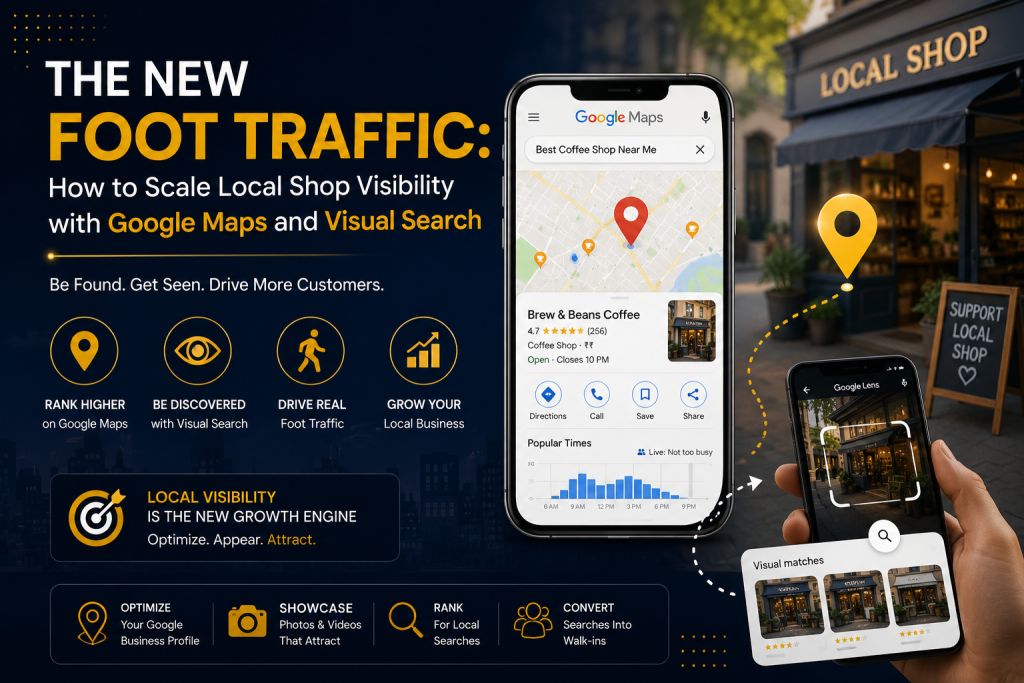
The New Foot Traffic: How to Scale Local Shop Visibility with Google Maps and Visual Search
Imagine a potential customer walking down a busy street in your neighborhood. They aren’t looking at billboards, and they aren’t flipping through local newspapers. Their eyes are glued to their smartphones. But they aren’t just typing words into a search box anymore. Maybe they are opening Google Maps to find a quiet coffee shop with outdoor seating that is open right now. Or maybe they see someone wearing a beautiful jacket, snap a quick photo of it using Google Lens, and instantly look for a boutique nearby that sells it. E2M Solutions This is the reality of local retail today. The way neighbors find your brick-and-mortar storefront has completely changed. Traditional marketing used to be about who could shout the loudest. Today, it’s about precision and discovery. At DeepScale, we don’t believe in vanity metrics like “impressions” or random likes. We focus on what actually moves the needle: foot traffic, store visits, and local phone calls. If you want your local shop to dominate the neighborhood and beat out the giant retail chains, you need to master two things: Google Maps Optimization and Visual Search Optimization. Here is your exact, no-jargon blueprint to make your shop impossible to miss. Part 1: Winning the Google Maps Battle (The 2026 Strategy) Most local shop owners treat their Google Business Profile (GBP) like a static yellow pages listing. They fill it out once, verify the address, and forget about it. That is a massive mistake. Google Maps is no longer just a map; it is an active, AI-driven recommendation engine. With recent updates like Google’s conversational AI features built directly into maps, search engines favor profiles that are active, deeply detailed, and trusted. To rank in the coveted “Local 3-Pack”—the top three local businesses Google shows at the very top of a search page—you need to optimize for three core pillars: Relevance, Distance, and Prominence. While you cannot control how close a customer is to your store (distance), you have complete control over the other two. Maximize Category Specificity When setting up your profile, don’t just pick one broad category and stop there. Google allows you to choose one primary category and up to nine secondary categories.Impact Digital Marketing Institute The DeepScale Fix: If you own a clothing boutique, don’t just list “Clothing Store.” Add secondary categories like “Women’s Clothing Store,” “Men’s Clothing Store,” “Boutique,” and “Fashion Accessories Store”. This ensures you show up for niche, specific searches in your area. Treat Google Business Profile Like a Social FeedGoogle rewards active profiles. The algorithm monitors how often you update your profile to determine if your business is still relevant and open.Ariel Digital Action Step: Use the Google Posts feature at least once or twice a week. Treat it like a mini Instagram update. Share photos of new inventory, announce weekend discounts, or talk about a holiday schedule.Impact Digital Marketing Institute Build “Review Velocity” and RecencyWe all know reviews matter, but did you know that old reviews lose their power over time? Google’s algorithm values review velocity—how frequently you get new reviews—and recency over a massive historical score. A business with 50 reviews earned over the last three months will often outrank a competitor with 150 reviews from three years ago.Ariel Digital. Pro-Tip: Don’t just ask for stars; ask customers to name specific products or services in their text. When a customer writes, “Best cotton oversized t-shirts in Prayagraj,” Google reads that text, connects the dots, and uses it to rank your shop when someone else searches for those exact words. Always respond to every single review, positive or negative, to signal high engagement. Part 2: The Visual Search Revolution (Optimizing for Google Lens) Let’s talk about the future that is already here. Google Lens allows users to point their smartphone cameras at objects in the real world to identify and buy them. According to recent data, a massive chunk of visual searches are entirely shopping-focused.Promodo Imagine a local shopper sees a unique home decor item or a specific style of shoes at a friend’s house. They take a photo with Google Lens, and Google instantly displays online and local options where they can buy it.Promodo If your website and product images are not optimized for visual search, your inventory is invisible to these high-intent buyers. Here is how you bridge the gap between physical items and digital discovery.Pixel Studios High-Resolution, Multi-Angle Photography Google Lens relies on advanced computer vision to analyze shapes, textures, colors, and patterns. A single blurry photo taken in poor lighting won’t cut it.Promodo The Strategy: For the core products on your website or digital catalog, upload clear, high-quality images taken from multiple angles. Use clean, neutral backgrounds so the AI can easily isolate the product without getting confused by background clutter.Pixel Studios Speak to the AI via Image Alt Text and File Names Search engine crawlers cannot “see” a photo the way humans do; they read the data attached to it. If your product image file name is IMG_9082.jpg, you are wasting a massive SEO opportunity. The Fix: Change your file names to be highly descriptive before uploading them. Use lowercase letters and hyphens (e.g., men-black-leather-boots-waterproof.jpg).No Fluff Write Descriptive Alt Text: Alt text is the hidden description attached to an image. Instead of writing a generic tag like “shoes,” write a detailed, helpful phrase: “Men’s black leather ankle boots with side buckle and rubber sole.” This gives the visual search engine the exact context it needs to match your product with a user’s photo query.No Fluff Deploy Local Inventory Feeds If you run a retail shop, you want people to know what you have in stock right now. Google allows eligible local retail stores to connect their inventory directly to their business profiles. By enabling free local inventory listings through Google Merchant Center, nearby shoppers using Google Lens or Maps can instantly check your real-time stock, pricing, and sizing availability before driving to your store. Part 3: Why Consistency is the Ultimate Multiplier Lorem ipsum dolor